Useful tools for cross browser compatibility testing





Mar 02, 2012


In cross-browser compatibility testing, it is necessary to have several environments set. Although having virtual machines is a good choice, it often becomes a hassle to switch between environments. There are some helpful tools that can reduce all this configuration work.
1. Netrenderer
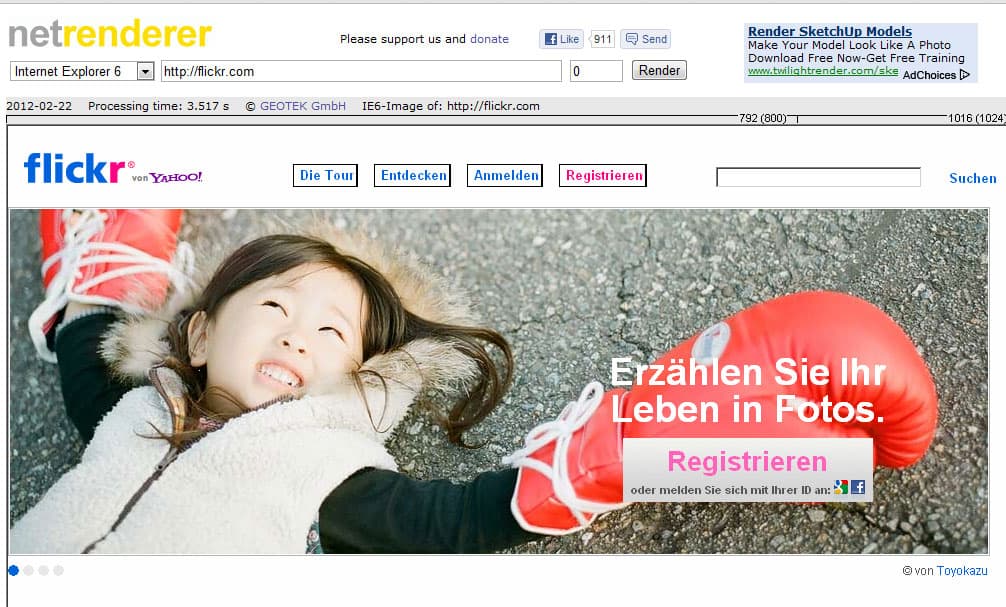
Netrenderer is a tool that allows you to check how a site is rendered in different versions of Internet Explorer. You don’t need to have an account or download a program. Just type in the URL to be tested, select the Internet Explorer version and the page will be rendered. This tool is recommended for testing specific sections of a page.
Pros
• It avoids the necessity of having a virtual machine to install the desired browser version
• Rendering takes seconds to be executed
• It lets you compare between browser versions (IE6 – IE7)
Cons
• Renders only one page at a time
• It doesn’t show the complete page, making it necessary to add a vertical offset value to see the content
• Incompatible with internal network sites
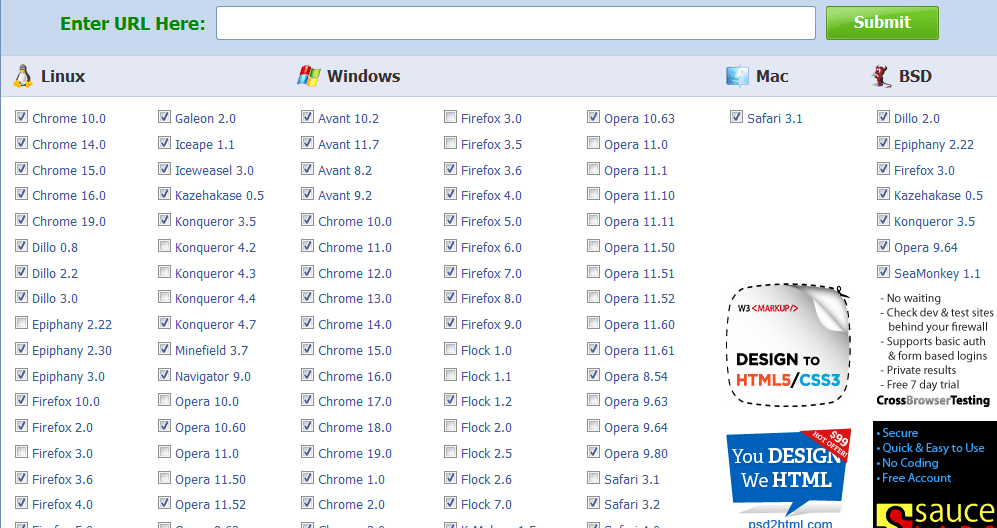
Browser Shots is an online tool that lets the user see screenshots of a desired page in different browsers and operating systems. It permits choosing the screen size, color depth, JavaScript, Java and Flash settings. It offers a trial version and as well as paid versions. To use, just insert the URL, choose the browsers, and set the options mentioned before. When the screenshots are done loading, it shows a report of uploaded, available and expired browsers. You can download them all in a zip file if needed.
• It avoids the necessity of having a virtual machine to install the desired browser version
• Rendering takes seconds to be executed
• It lets you compare between browser versions (IE6 – IE7)
Cons
• Renders only one page at a time
• It doesn’t show the complete page, making it necessary to add a vertical offset value to see the content
• Incompatible with internal network sites
2. Browser shots
Pros:
• There are a wide variety of browsers to choose from
• It is possible to choose the screen resolution and enable other options
• There are a wide variety of browsers to choose from
• It is possible to choose the screen resolution and enable other options
Cons:
• Only supports Windows XP screenshots
• Sometimes sessions expire and some screenshots are missing
• The results are slow if you compare a lot of different browsers
• Very few options for Mac OS
3. CrossBrowserTesting
• Only supports Windows XP screenshots
• Sometimes sessions expire and some screenshots are missing
• The results are slow if you compare a lot of different browsers
• Very few options for Mac OS
3. CrossBrowserTesting
CrossBrowserTesting is a tool that offers many services:
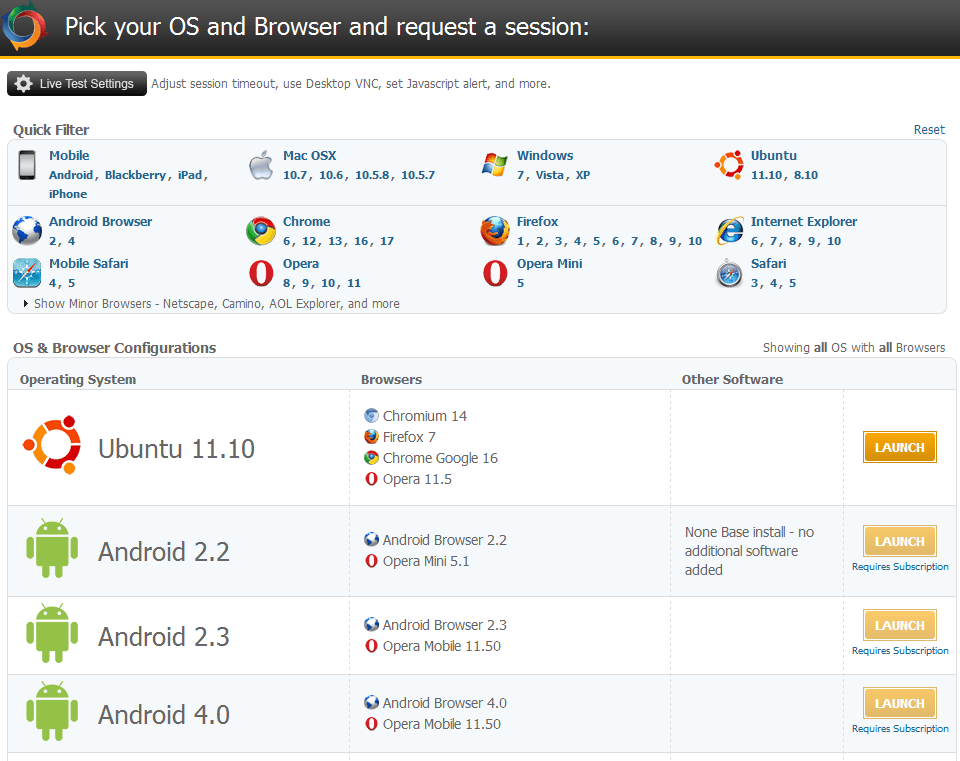
• Interactive live testing: This lets you launch a browser, a screen resolution, an operating system and a platform on their server. Then you only have to enter the URL to test.
When the page is loaded, there are many options that the user can access, including: capture screenshots, record sessions and capture packets. For all of these options a report is generated and saved into a project.
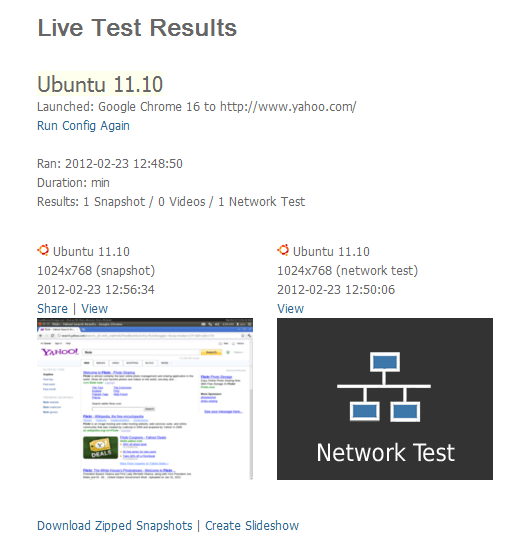
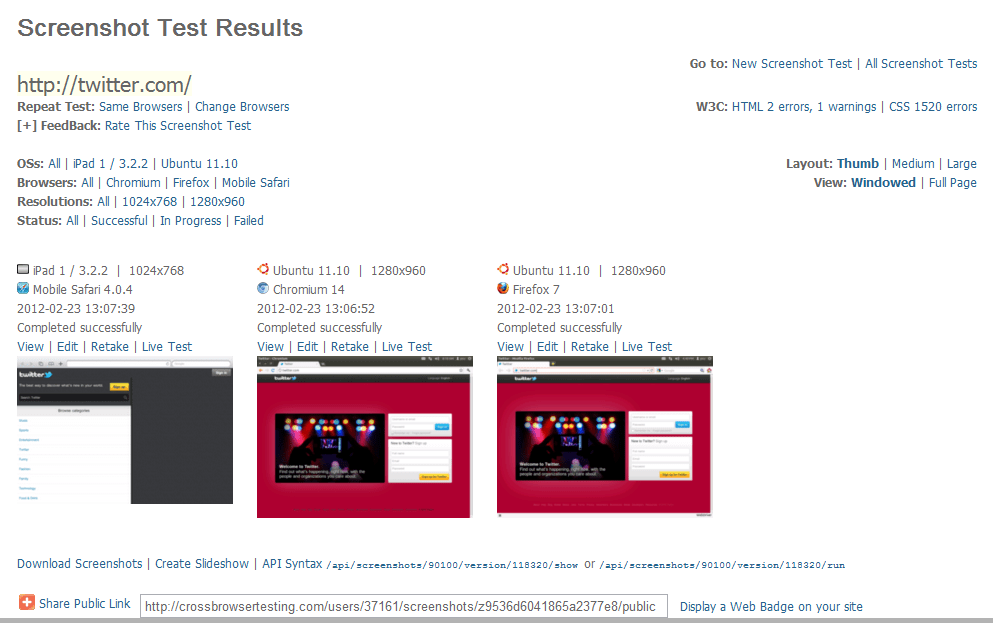
• Run automated screenshots: Lets you choose the resolution of the selected operating systems/browsers/versions of the same URL. It loads the screenshots immediately.
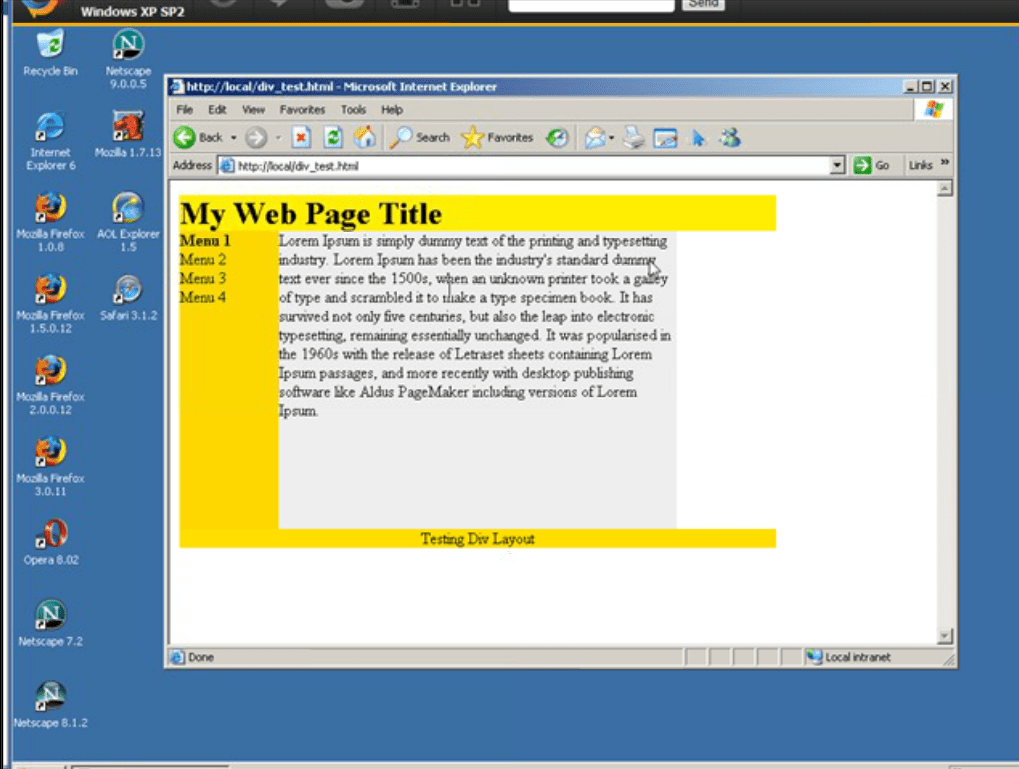
•Local Connection: Makes it possible to test local files or websites behind a firewall. You only have to give permissions to an applet, choose the URL to be tested, select the platform and browser and you’ll see the site in their virtual machine. Any changes made will be automatically reflected.
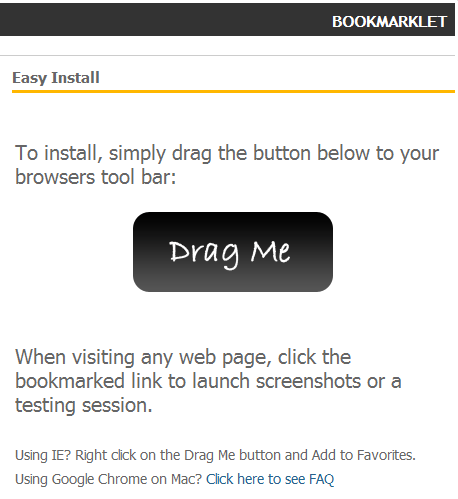
• Bookmarklet: Just by dragging a button to the bookmarks bar you will have instant access to test any page.
Pros
• Easy to use. Instant access from the web browser.
• Lets you record the testing.
• Generates reports of screenshots and stress tests.
• Makes it possible to set up connection to test local files not yet uploaded to a server or internal websites behind a firewall.
• Easy to use. Instant access from the web browser.
• Lets you record the testing.
• Generates reports of screenshots and stress tests.
• Makes it possible to set up connection to test local files not yet uploaded to a server or internal websites behind a firewall.
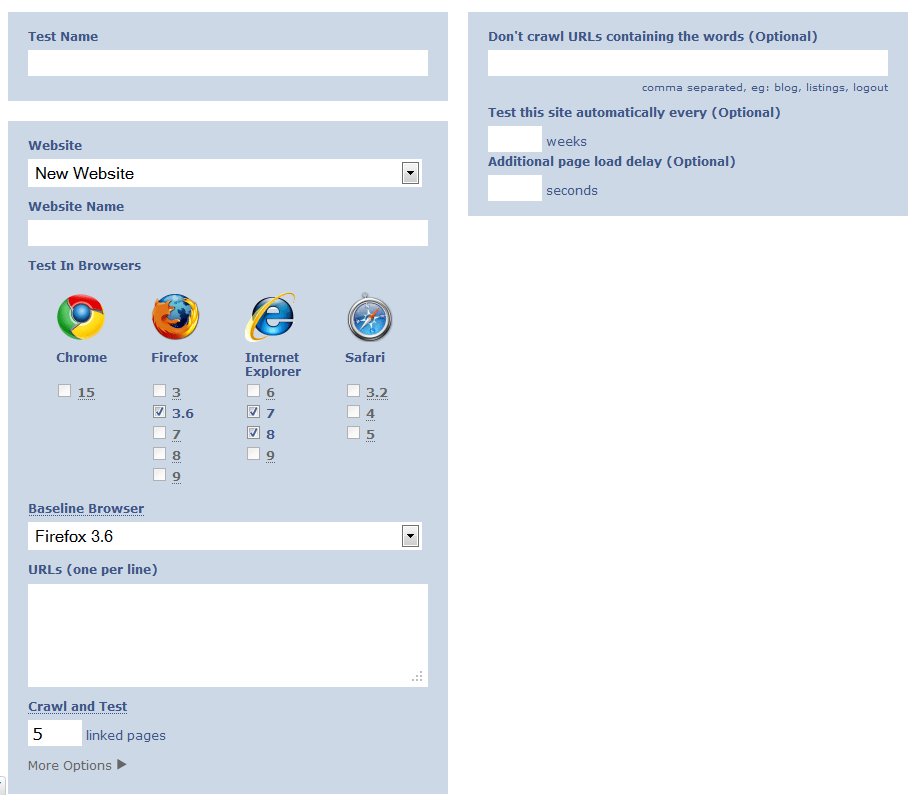
Browsera is an online tool that analyzes a site completely and simultaneously in many browsers while identifying errors instead of just taking screenshots. When creating a new account, you will be prompted to add a project name, the baseline browser (the browser that you test most often), the URLs to be tested and the additional pages linked from the inserted URLs.
After the testing is done, you’ll get an email with a notification, a small report and a link to see the complete results. In the image below, the left section contains the URLs tested with errors and warnings found. On the right side, issues are better explained and a screenshot of each browser highlights the section that shows the error.
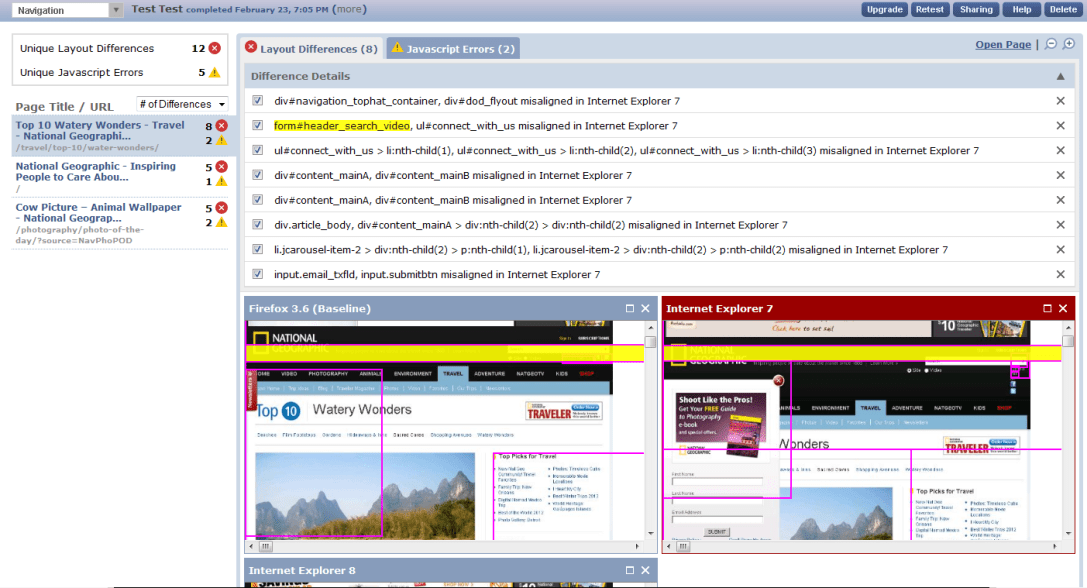
It also supports HTTP Basic authentication as well as application based logins, this is a critical feature when testing user profiles.
Pros:
• It shows errors found in each browser
• Creates a report of the results via an URL that can be shared.
• Takes screenshots of linked pages.
Pros:
• It shows errors found in each browser
• Creates a report of the results via an URL that can be shared.
• Takes screenshots of linked pages.
Cons:
• It is not possible to choose operating systems or devices; you can only choose the broswer.
• It doesn’t have the latest browsers versions (i.e. Chrome is only available until version
5. Microsoft Expression Web SuperView
• It is not possible to choose operating systems or devices; you can only choose the broswer.
• It doesn’t have the latest browsers versions (i.e. Chrome is only available until version
5. Microsoft Expression Web SuperView
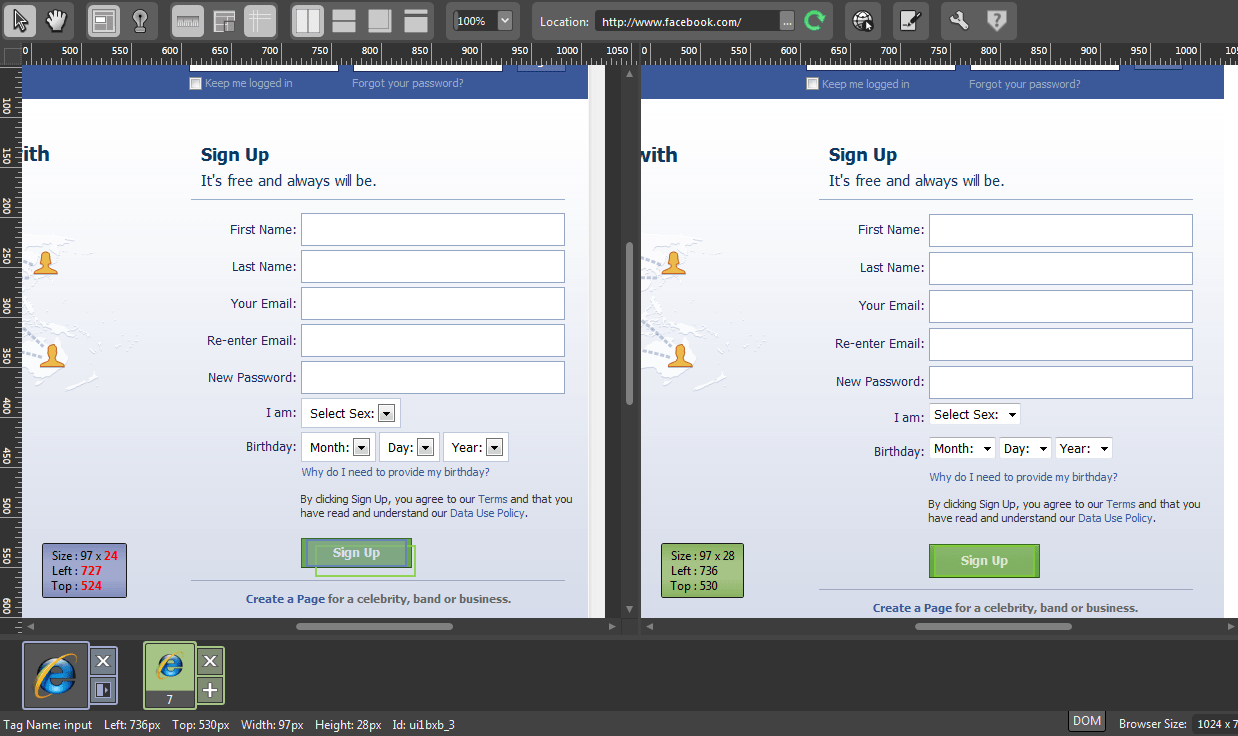
This is a desktop tool that permits loading a page in all versions of Internet Explorer and the installed browsers. The user only has to add a baseline browser and the other required browsers to test and compare all of them at the same time. There’s an Overlay Layout option to see the differences between two browsers. It is also possible to upload a PSD file or an image to compare.
Pros
• You can see and compare all Internet Explorer versions
• It has the “remote browsers” option to test in uninstalled browsers
• You can see and compare all Internet Explorer versions
• It has the “remote browsers” option to test in uninstalled browsers
Cons
• It doesn’t support Linux platforms (In remote browsers)
These tools can help provide very useful information in your compatibility testing, depending on the testing platforms and the environments needed. Most of them offer screenshots, reports and results that are helpful to the process.
• It doesn’t support Linux platforms (In remote browsers)
These tools can help provide very useful information in your compatibility testing, depending on the testing platforms and the environments needed. Most of them offer screenshots, reports and results that are helpful to the process.


This site is protected by reCAPTCHA, and our Privacy Policy applies.